

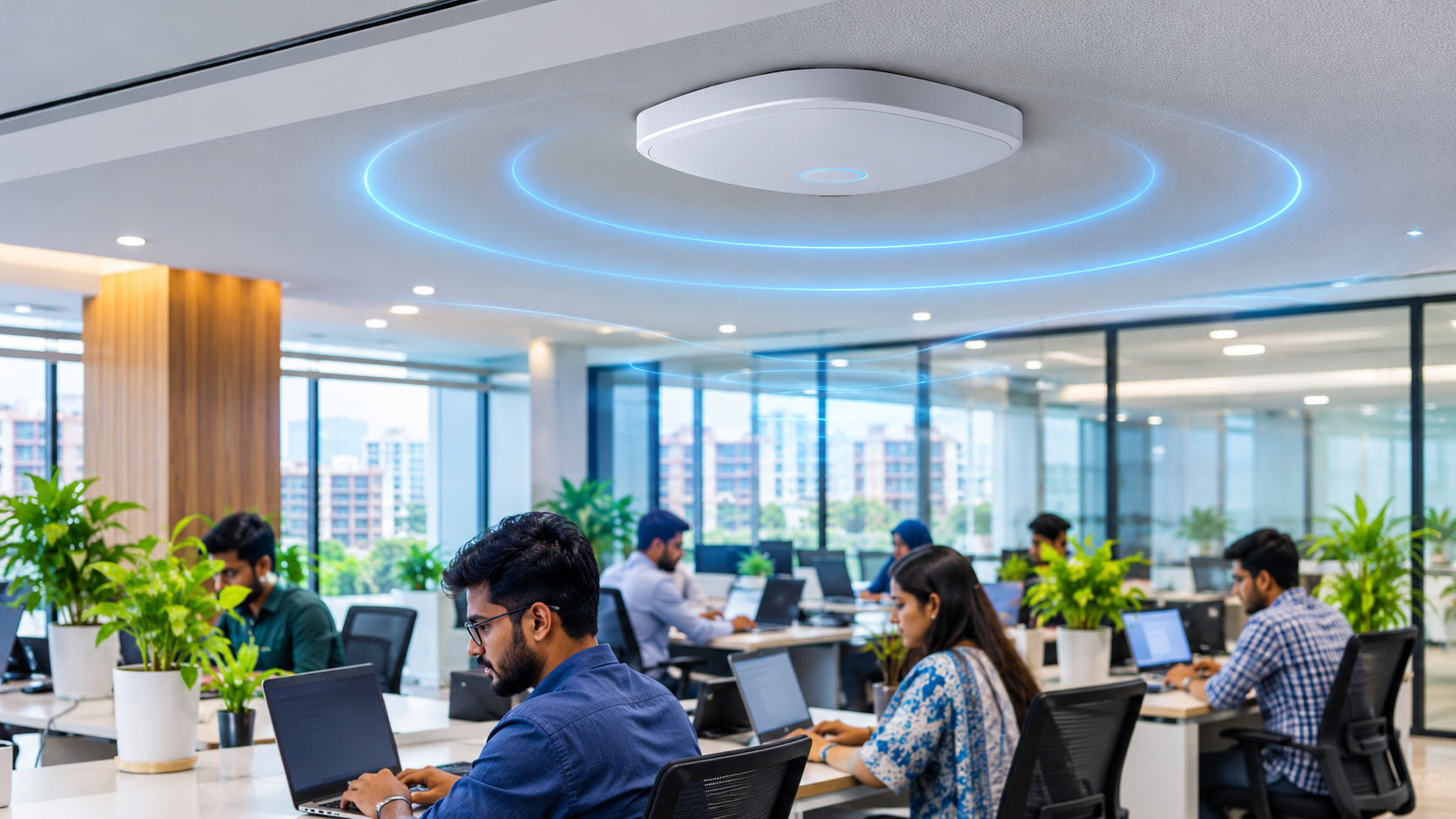
Every office in Dhaka has heard the same complaints. "The Wi-Fi is slow again." "My Zoom call keeps freezing." "There is no signal in the meeting room." The usual reaction is to call the internet provider and pay for a faster package. Yet most of the time the internet line is fine. The real problem sits inside the office: a single home router doing the work of a business network, cheap switches, tangled cables and Wi-Fi that was never planned.
This guide explains how a proper office network is built, piece by piece, in plain language. Every product we mention is linked, so you can compare options and order in one place.
Why your network matters more than your internet speed
Today almost everything in an office runs on the network: cloud email, accounting software, video meetings, IP phones, printers, CCTV cameras, access control terminals and interactive panels in meeting rooms. When the network is weak, all of them suffer at once.
A well-designed network gives every user a stable connection, keeps guests separate from company data, and makes problems easy to find and fix. It is also the foundation for the AI-ready IT infrastructure that businesses are planning for 2026.
The four building blocks of an office network
- Router or firewall connects your office to the internet and controls traffic.
- Switches connect wired devices such as PCs, printers, servers and access points.
- Access points deliver Wi-Fi across the office.
- Cabling and racks tie it all together neatly and reliably.

1. Routers: the gateway to the internet
A home router is built for a family, not for 30 employees on video calls. Business routers handle more users, multiple internet lines and cloud management.
For small offices, the TP-Link Archer AX73 Wi-Fi 6 router, TP-Link Archer AX15 and TP-Link Archer C80 are reliable starting points. For power users, the Netgear Nighthawk RAX70 tri-band Wi-Fi 6 router delivers more capacity.
Growing businesses should step up to a cloud-managed router such as the Ruijie RG-EG105G or the Ruijie RG-EG310GH-E 10-port office router. Business routers like these can be set up with two internet lines, so one ISP outage does not stop work. For advanced setups, the MikroTik RB4011 rackmount router, the MikroTik RB1100AHx4 Dude Edition and the Cisco ISR 1100 C1111-4P give IT teams full control.
In most businesses, the router should sit behind or be replaced by a proper firewall. More on that below.
2. Switches: the backbone of the wired network
Switches connect every wired device. The main choice is between unmanaged switches, which simply work out of the box, and managed switches, which let IT separate traffic into VLANs, prioritise calls and monitor ports.
- Small offices (unmanaged): the Netgear GS308 8-port, TP-Link TL-SG1016D 16-port, Netgear GS324 24-port or Planet GSD-803
- Smart and easy-managed: the TP-Link TL-SG1428PE, Netgear GS110TP, Ruijie RG-ES216GC or Aruba Instant On 1430
- Fully managed for growing businesses: the Cisco Catalyst 1200 24-port, Cisco Catalyst 1200 48-port, Cisco CBS350-48T or BDCOM S2528-C
- Enterprise and core: the Cisco Catalyst 9200L, Planet GS-6311-48T6X Layer 3 switch or V-SOL V3212 10G Layer 3 switch
PoE switches: power and data on one cable

Access points, IP cameras and IP phones can all be powered through the network cable using PoE, so you need no power sockets on the ceiling. For a few devices, the Netgear GS108LP 8-port PoE switch, BDCOM S1500-8P2G or Planet FSD-1008HP is enough. Larger offices should look at the TP-Link TL-SG1218MPE 16-port PoE, Cisco Catalyst 1200 24-port PoE, Cisco CBS350-48P, Netgear GS728TP or the multi-gig Netgear MS324TXUP for Wi-Fi 6 access points.
3. Access points: Wi-Fi that covers every corner
One router in the corner cannot cover a whole floor. Ceiling-mounted access points, spread across the office, give every desk and meeting room a strong signal and let people walk around without dropping their call.
- Ruijie Reyee: the RG-RAP62 Wi-Fi 6 ceiling access point, the faster RG-RAP2260-E multi-gig access point and the RG-RAP62-OD indoor/outdoor access point for rooftops and courtyards
- Aruba Instant On: the AP22 Wi-Fi 6, AP25, AP15 and the outdoor AP17, all managed from a phone app. For campuses, see the Aruba 500 series and Aruba 503 campus access points
- Netgear Insight: the WAX610, WAX615, WAX220, the tri-band WAX630 and the outdoor WAX620
- TP-Link and Cambium: the TP-Link EAP245 ceiling access point, the Cambium XV2-21X Wi-Fi 6 and the Cambium cnPilot E410
As a rule of thumb, plan one access point for every 25 to 30 users or every large room, and always mount them on the ceiling, not inside a cabinet.
Mesh Wi-Fi: the easy option for homes and small offices
Where running cables is difficult, a mesh system links several units wirelessly to blanket the space in Wi-Fi. The TP-Link Deco M4 and Deco E4 suit flats and small offices. For larger spaces, the Netgear Orbi RBK352, Orbi RBK752 tri-band and Orbi RBK852 deliver Wi-Fi 6 speed, and satellites such as the Orbi RBS750 extend coverage later.
4. Cabling and racks: the part nobody sees, and everyone depends on
Many network faults come down to poor cabling: cheap copper-clad cable, loose connectors and wires running loose across the floor. Good cabling is a one-time investment that lasts for years.
- Cat6 cable: use solid copper cable such as Safenet Cat6 305m solid UTP, Safenet Cat6 LSZH cable for fire-safe buildings, Rosenberger Cat6 UTP 305m or Dintek Cat6 UTP. For noisy factory environments, choose shielded Safenet Cat6 S/FTP.
- Patch panels and cords: terminate cables neatly on a Safenet PowerMax 24-port Cat6 patch panel or a Vivanco Cat6 24-port patch panel, then connect with Systimax Cat6 patch cords or Vivanco patch cords. Wall outlets use modules such as the Rosenberger Cat6 toolless keystone.
- Network racks: small offices need only a wall-mounted cabinet such as the Safenet 6U, Safenet 9U, Safenet 12U or Toten 15U. Server rooms need a floor-standing rack such as the Safenet 22U glass-door cabinet, the Safenet 32U or the Safenet 42U perforated rack.
- Fibre between floors and buildings: use Cisco SFP-10G-SR modules, Safenet OM4 LC-LC patch cords and a 14-slot media converter chassis.
Keep the network running through load-shedding
When the power drops, the router, switches and access points drop with it, and every call and upload in progress is lost. Put the network rack on a UPS. An online UPS like the Power Guard 3KVA protects a full rack, a Power Guard 1500VA suits a small cabinet, and a Power Guard ECO mini DC UPS keeps a single router alive for hours. Read Offline vs Online UPS to choose, and see why many businesses are adding rooftop solar for longer outages.
Secure the network
A fast network without security is an open door. Every business network needs a firewall between the office and the internet.
- Small offices: the Sophos XGS 87 or Sophos XGS 107
- Mid-size offices: the Sophos XGS 116, Sophos XGS 126 or FortiGate 90G
- Larger networks: the FortiGate 120G, Sophos XGS 2100 or Sophos XGS 3100
Keep protection current with a FortiGuard Unified Threat Protection subscription or Sophos Xstream Protection license, and protect each PC with Sophos Intercept X Advanced with XDR or Trend Micro Apex One.
Set up separate Wi-Fi networks for staff, guests and devices like cameras, so a visitor's phone never sits on the same network as your accounts server. For more, read our next-generation firewall guide, Cybersecurity for Businesses: 7 Common Weak Points, Your VPN and Firewall Are the New Front Door, why business email is now the frontline and SIEM vs SOAR vs XDR.
Internet connectivity and backup lines
Even the best network needs a reliable way out. Many offices now run two internet lines from different providers. Sites outside the city, or businesses that cannot afford any downtime, can add satellite backup with the Starlink Gen 3 mesh Wi-Fi 6 router. Read Starlink in Bangladesh: Who Actually Needs Satellite Internet? before you decide.
If you run in-house servers, the network design also has to fit them. See how to choose the right Dell, HPE and Supermicro server, our Windows Server 2016 end-of-support migration plan, and our high-availability load balancer implementation service.
Recommended setups by office size
- Small office (up to 15 people): TP-Link Archer AX73 or Deco M4 mesh, a Netgear GS308, a Sophos XGS 87 and a Safenet 6U cabinet
- Growing office (15 to 50 people): a Ruijie RG-EG310GH-E router, TP-Link TL-SG1218MPE PoE switch, 2 to 4 Ruijie RG-RAP62 access points, a Sophos XGS 107 and a Safenet 12U cabinet
- Corporate office (50 to 200 people): a FortiGate 90G, Cisco Catalyst 1200 PoE switches, Aruba AP22 or Netgear WAX615 access points, and a Safenet 42U rack
- Factory or multi-building campus: a Cisco Catalyst 9200L core, fibre links between buildings, outdoor Ruijie RG-RAP62-OD access points and a Sophos XGS 2100
Why buy from Revolution Technology BD?
We design, supply and install complete office networks for businesses, schools and factories across Bangladesh. Learn more about us or see our company profile.
- Site survey and Wi-Fi planning. We check your floor plan and user count, then place each access point and switch where it belongs.
- Structured cabling and installation. Our installation team handles cabling, rack dressing, configuration and testing.
- Genuine products with warranty. Every device is covered by our warranty policy.
- After-sales support. Visit our service center, or choose premium service for priority support.
- Easy ordering. See how to order and our order and payment options.
Planning a complete upgrade? Start with Buying IT Equipment in 2026: What Every Business Should Consider and Business Technology Solutions for 2026.
Frequently asked questions
Why is my office Wi-Fi slow even with a fast internet package? Usually because one router is serving too many users or the signal cannot reach every room. Ceiling-mounted access points and a proper switch fix most problems without changing your internet plan.
Do I need a managed switch? If you have more than about 20 users, IP cameras or a guest network, yes. A managed switch such as the Cisco Catalyst 1200 lets you separate and prioritise traffic.
Mesh Wi-Fi or access points? Mesh systems such as the TP-Link Deco are easy for homes and small offices. Wired access points are faster and more stable for busy business floors.
What cable should I use for an office network? Solid copper Cat6, such as Safenet Cat6 305m. Avoid cheap copper-clad cable, which causes slow speeds and dropouts.
Do I really need a firewall? Yes. A business firewall such as the Sophos XGS 107 blocks attacks, filters websites and secures remote access. More answers are on our FAQ page.
Ready to fix your office network?
Tell us your office size, number of users and floors, and we will design a network and send a quote. Get in touch today.
- Call or WhatsApp: +880 1404-078081
- Email: info@revolutiontech.com.bd
- Website: revolutiontech.com.bd · Contact us
- Corporate HQ: 54 Motijheel C/A, Elite House (3rd floor), Dhaka-1000
- Service center: 128/1 Ahmed Bagh, Dhaka-1214
Read more articles on our Events & Newsletters page.