
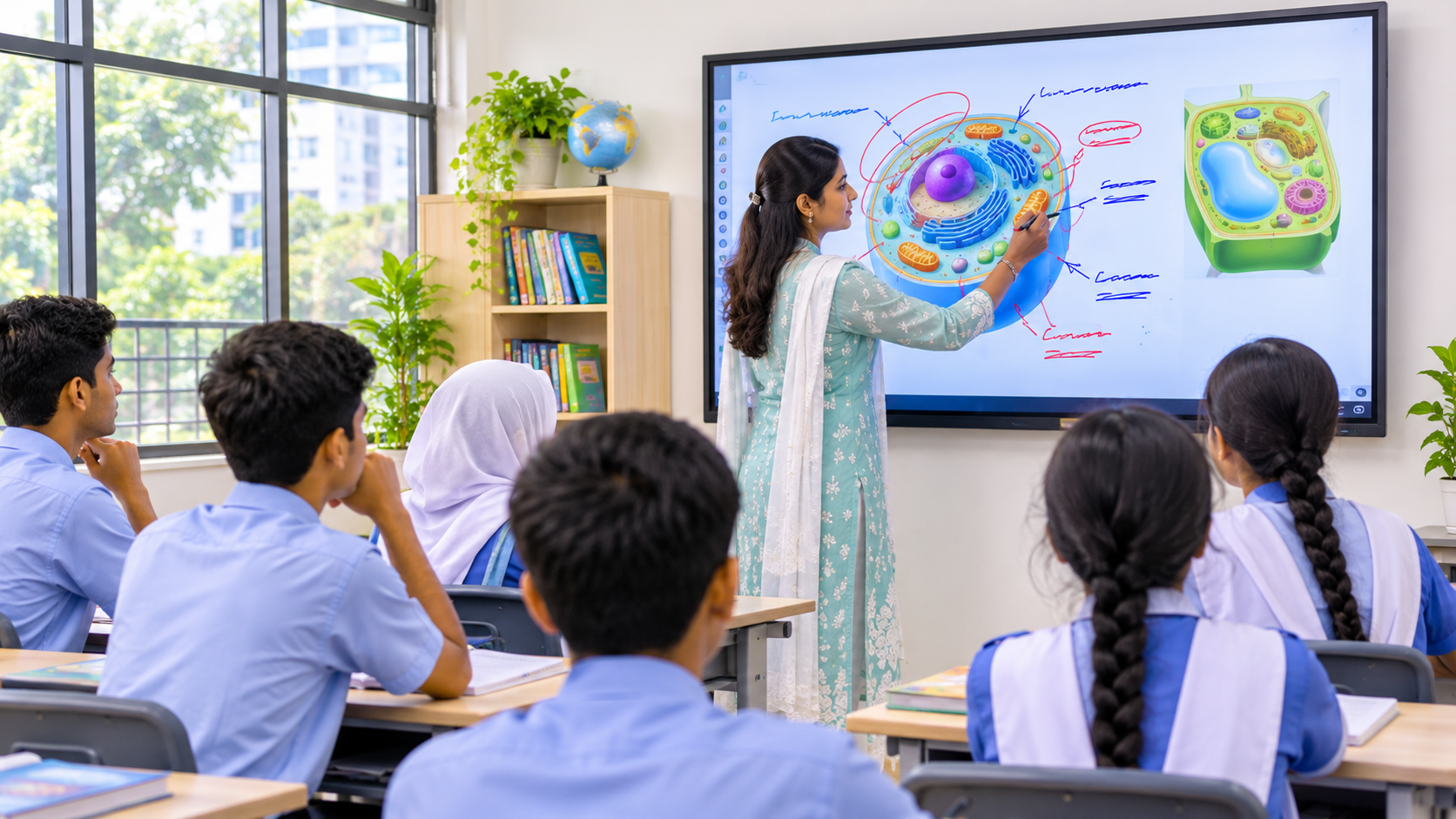
Walk into a classroom or boardroom in Dhaka today and you will often find the same tired setup: a whiteboard with half-erased marker, a projector with a dim, washed-out image, and a laptop cable that never quite reaches. An interactive flat panel display replaces all three with one bright touchscreen that teachers write on, presenters share to, and remote colleagues join through video calls.
Schools, universities, training centres and corporate offices across Bangladesh are making the switch. This guide explains what to look for, which sizes and brands fit which rooms, and the accessories that turn a screen into a complete teaching or meeting system. Every product we mention is linked, so you can compare and order in one place.
Why interactive panels are replacing projectors
Projectors still have a place in large halls, but for everyday classrooms and meeting rooms, flat panels win on almost every count.
- Bright in any room. A panel stays sharp with the lights on and the curtains open. No more dimming the room so the back row can read.
- No lamps to replace. Panels avoid the recurring cost and downtime of projector lamps.
- Touch and write directly. Teachers annotate over slides, students solve problems at the board, and notes save straight to a file.
- Built-in computer. Most panels run Android, so you can open a browser, a whiteboard app or a lesson file without plugging in a laptop.
- Ready for hybrid work. Add a camera and the panel becomes a video conferencing screen.
If you do need a projector for a hall or auditorium, we still carry them: the BenQ MH560 Full HD business projector, the BenQ EW805ST short-throw smart projector for small rooms, the BenQ LU935 6000-lumen WUXGA projector for large venues, and the BenQ LK935 4K conference room projector.
Choosing the right size
The right size depends on how far the back row sits from the screen. As a rule of thumb:
- 65 inch: small meeting rooms, huddle spaces and tutoring rooms
- 75 inch: standard classrooms and mid-size boardrooms
- 86 inch: large classrooms, training rooms and executive boardrooms
- 98 inch: lecture halls and auditoriums where a projector would otherwise be used
When in doubt, go one size up. Nobody has ever complained that the screen was too easy to read.
The brands we recommend

BenQ: built for education
BenQ designs its panels around teachers. The BenQ RM6504 65-inch 4K education interactive display runs Android 13 with 8GB memory and 128GB storage, supports up to 40-point multi-touch, and comes with a 3-year warranty. It works plug-and-play with Windows, Mac, Linux and Chrome devices, and gives access to education apps through the BenQ Software Store.
ZKTeco: value across every size
ZKTeco offers 4K panels in the two most popular classroom sizes. Choose the ZKTeco SC02-I375A 75-inch 4K panel or the ZKTeco SC02-I386A 86-inch 4K panel. The IWB series adds a Windows option: the ZKTeco ZK-IWB86BP 86-inch panel runs Android 11 with optional Windows and supports 40-point touch on Windows. It also comes as the ZKTeco ZK-IWB75BP 75-inch panel.
Hikvision: for large boardrooms
The Hikvision DS-D5C86RB/B 86-inch 4K interactive display suits offices that already run Hikvision CCTV and want one brand across their building.
Boxlight: for the biggest rooms
For lecture halls, the Boxlight ProColor P598UC 98-inch 4K interactive panel is one of the largest touchscreens you can buy. Its sibling, the Boxlight ProColor P586UC 86-inch, fits large classrooms.
Browse the full TV and interactive panel range to compare every model.
Quick picks by room

- Small meeting room: BenQ RM6504 65-inch
- Standard classroom: ZKTeco SC02-I375A 75-inch or ZKTeco ZK-IWB75BP
- Large classroom or training room: ZKTeco SC02-I386A 86-inch or Boxlight P586UC
- Executive boardroom: Hikvision DS-D5C86RB/B 86-inch
- Lecture hall: Boxlight P598UC 98-inch
The accessories that complete the system
A panel on its own is a great screen. The right accessories turn it into a full teaching or meeting system.
An OPS PC for full Windows
The built-in Android system handles everyday tasks. For full Windows software, Microsoft Office and heavier teaching apps, slot in a Core i5 12th Gen OPS PC module. It installs inside the panel, so there are no extra boxes or cables on the wall. Pair it with a genuine Windows 11 Professional license and Microsoft Office LTSC Standard 2024, or give staff cloud access with Microsoft 365 Business Standard. Non-profit schools can ask about Microsoft 365 Business Standard for non-profits. Why licensing matters is explained in The Real Cost of "Free" Windows and Office.
A trolley or a wall mount
If one panel serves several rooms, a mobile stand is the smartest buy. The trolley for interactive flat panel displays rolls the screen wherever it is needed, and ZKTeco ZK-MS01 ultra-silent swivel wheels keep it quiet in a classroom. See all smart board trolleys and interactive panel accessories.
Wireless presenting
Cables are the number one cause of meetings that start late. A wireless presentation system lets anyone share their laptop screen at the press of a button. The BenQ WDC15 4K wireless presentation system is ideal for a single presenter, while the BenQ WDC25 lets several people share at once. Add a Logitech Spotlight wireless presenter or the simpler Logitech R400 to move through slides from anywhere in the room.
A camera for hybrid classes and meetings
Turn the panel into a video conferencing screen with a Logitech Brio 500 auto-framing webcam. Remote students and colleagues see the presenter clearly, and the panel shows everyone on a large screen.
Laptops for teachers and presenters
A reliable laptop makes preparing lessons and presentations easy. Popular choices include the HP ProBook 440 G11, the Lenovo ThinkPad E14 Gen 7 and the Apple MacBook Air M4. Read what is new in The Next Generation of Laptops.
Power and network
Load-shedding in the middle of a lesson wastes everyone's time. A ZKTeco ZKUPS 2000VA UPS keeps a panel and OPS PC running through short cuts, and an online UPS like the Power Guard 3KVA protects a whole room. Our guide to offline vs online UPS explains the difference.
A campus full of connected screens also needs a secure network. A firewall such as the Sophos XGS 87 protects student and staff Wi-Fi, and our article on the human firewall covers the people side of security. Campuses outside the city with weak broadband can read Starlink in Bangladesh: who actually needs satellite internet.
Securing the building itself? Our last issue covered how to choose the right fingerprint, face or card access control system for offices, factories and schools.
Why buy from Revolution Technology BD?
We supply and install interactive panels for schools, universities and corporate offices across Bangladesh. Learn more about us or see our company profile.
- Room survey and advice. We help you pick the right size and setup for each room.
- Professional installation. Our installation team handles wall mounting, OPS setup and network connection.
- Genuine products with warranty. Every panel is covered by our warranty policy.
- After-sales support. Visit our service center, or choose premium service for priority support.
- Easy ordering. See how to order and our order and payment options.
Frequently asked questions
What size interactive panel do I need for a classroom? For most classrooms, a 75-inch panel such as the ZKTeco SC02-I375A works well. Large rooms need 86 inches, and lecture halls suit the 98-inch Boxlight P598UC.
Do I need a separate computer? No. Panels have a built-in Android system for everyday use. Add an OPS PC module if you need full Windows software.
Can I connect my laptop wirelessly? Yes. A BenQ WDC15 or WDC25 wireless presentation system shares your screen with one button.
Can I use an interactive panel for video meetings? Yes. Add a Logitech Brio 500 webcam and run Teams, Zoom or Google Meet on the panel.
Is an interactive panel better than a projector? For classrooms and meeting rooms, yes: it is brighter, needs no lamps and supports touch. Projectors still suit very large halls. More answers are on our FAQ page.
Ready to upgrade your classroom or boardroom?
Tell us how many rooms you are equipping and their sizes, and we will recommend the right panels and send a quote. Browse every interactive smart board or get in touch.
- Call or WhatsApp: +880 1404-078081
- Email: info@revolutiontech.com.bd
- Website: revolutiontech.com.bd · Contact us
- Corporate HQ: 54 Motijheel C/A, Elite House (3rd floor), Dhaka-1000
- Service center: 128/1 Ahmed Bagh, Dhaka-1214
Read more articles on our Events & Newsletters page.