Microsoft Defender for Office 365 (Plan 2)
Contact us for pricing
Product Details
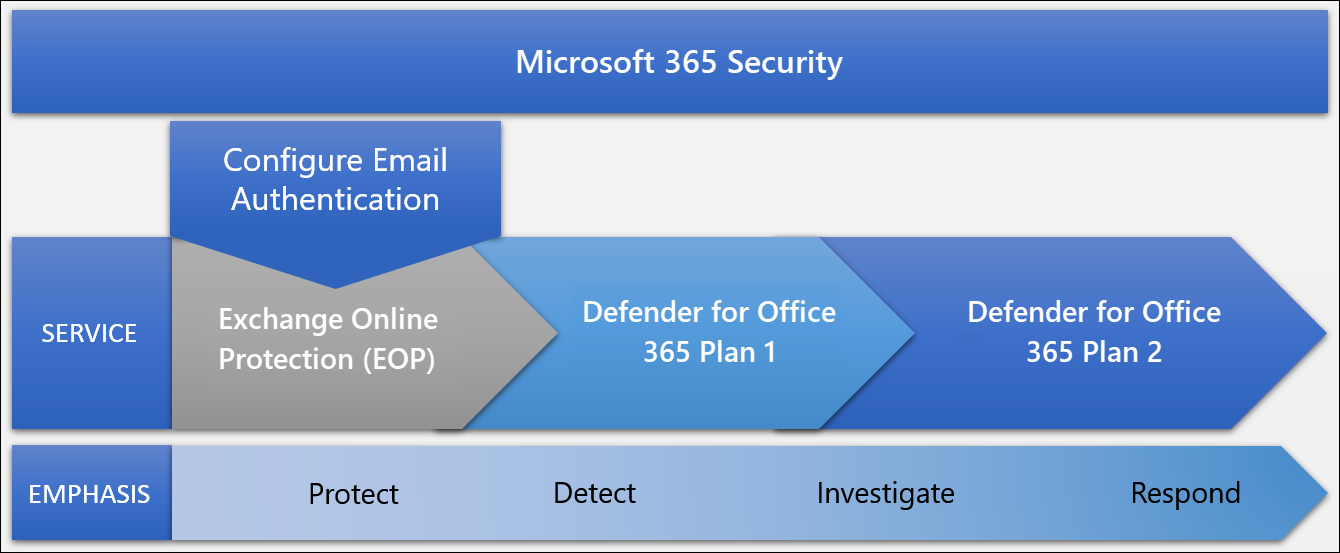
Features of Microsoft Defender for Office 365 P2
Automated Investigation and Response (AIR)
Threat Explorer and Real-Time Detections
Attack Simulation Training
Advanced Hunting & Campaign Views
Threat Trackers & Security Playbooks
Integration with Microsoft Defender XDR
Threat Intelligence Integration
Enhanced Reporting and Alerts
Microsoft
Defender for Office 365 (Plan 2)
Protects Against Dangerous Attachments
It checks
email attachments for viruses or harmful content before you open them.
Blocks Unsafe Links in Emails and Documents
If
someone sends you a link that could lead to a scam or fake website, it blocks
it to keep you safe.
Stops
Fake Emails (Phishing Protection)
It helps
stop emails that pretend to be from your boss, bank, or popular companies
trying to trick you.
Tracks and Finds Threats in Real Time
Security
teams can see threats as they happen and respond faster.
Automatic Threat Removal
If it
finds something harmful, it can fix the issue by itself without waiting for IT
staff.
Simulated Phishing Tests for Employees
It lets
your company test employees with fake scam emails to train them to avoid real
ones.
Reports
and Dashboards
It gives
clear reports to show what kind of threats were blocked and what actions were
taken.
Smart
Threat Insights
Provides
insights and trends about ongoing threats so your company stays one step ahead.
Works with Other Microsoft Security Tools
It
connects with other Microsoft tools to provide a complete protection system for
your business.
How to Order
Revolution Technology BD has made shopping easier for customers. Follow these steps:
- Click Register Button from home page
- Register with: Name + Email + Mobile + Password
- Click Create Account after entering information
- Login automatically or use Login button
- Provide mobile number and password, then Sign Up
- Choose desired product and click Buy Now
- View product details and click Add to Cart
- Click Item box (upper right corner)
- Go to Shopping Cart page
- Continue Shopping for more products or proceed
- Click "Click Here to Address" button
- Provide Full Name, Phone, Email & Delivery Address
- Click Order Submit button
- View Bill Invoice and receive email confirmation
- Print Invoice using Print button
- Wait for delivery - we'll keep you updated
- Thank you for shopping with us!