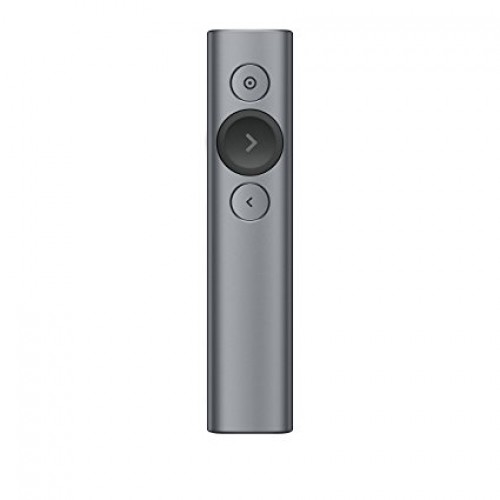
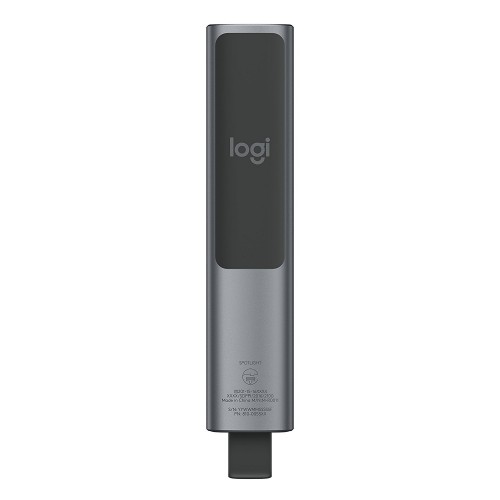
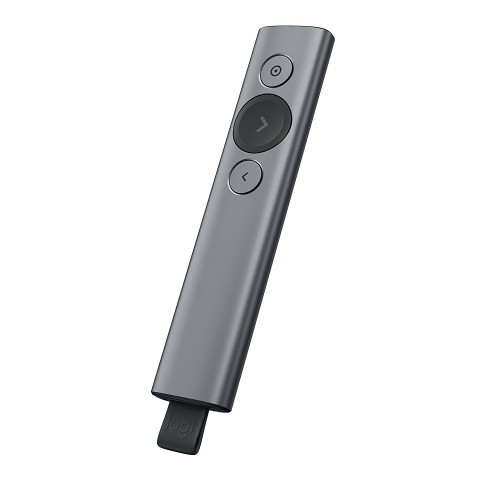
Logitech Spotlight Wireless Presenter
Exclusive of all taxes
Product Details
Key Features
Wireless Freedom: Present from anywhere in the room with up to 30 meters of range.
Easy Navigation: Use the Next, Previous & Laser buttons to navigate through your presentation.
Customization Options: Customize the behavior of the Previous & Next buttons with Logi Options+.
Highlight and Magnify: Use the digital laser to highlight and magnify text and images.
Timer and Notifications: Set a timer and receive notifications with Logi Options+.
Long Battery Life: Get up to 85mAh of battery life with a single charge.
Compact Design: Present from anywhere with the compact 131.3 x 28.1 x 12.1mm design.
Slate Color Option: Choose from the sleek Slate color option.
Windows and macOS Compatibility: Works with Windows 10,11 or later, and macOS: 10.2 or later.
Android and iOS Compatibility: Works with Android 5.0 or later, and iOS 11 or later.
Linux Compatibility: Works with Linux Kernel 2.6+.
Brand | Logitech |
Model | Logitech 910-004863 Spotlight Advanced |
Type | Wireless Presenter |
Part No | 910-004863 |
Cursor Controls/Buttons | Next, Previous & Laser |
Number of Buttons | 3 (With Slideshow) |
Interface(s) | USB Dongle & Bluetooth |
Charging Plug Type | USB Type-C |
Wireless Technology | RF 2.4Ghz |
Range | Up to 30 meters |
Bluetooth | Yes |
Laser | Laser |
Laser Color | Red |
Laser Distance | Up to 30 Meters |
Sensors | 3D accelerometer and Gyroscope |
Sensors Technology | Motion sensor |
OS Compatibility | Windows 10,11 or later, macOS: 10.2 or later, ChromeOS, iPadOS 13.4 or later, Android 5.0 or later, iOS 11 or later, Linux Kernel 2.6+ |
Power Sources | Rechargeable Lithium Polymer |
Built-in Battery | Yes |
Rechargeable Battery | Yes |
Battery Qty. | 1 |
Battery Capacity | 85mAh |
Dimensions | 131.3 x 28.1 x 12.1mm |
Weight (gm) | 49.2 gm |
Color | Slate |
Packet Contents | Presentation remote, Proprietary receiver, User documentation, Charging cable |
Warranty | 1 year |
Connection Type | Bluetooth Smart and 2.4GHz wireless connection |
Indicator Lights (LED) | Battery and Connectivity LED |
Battery Details | Rechargeable Lithium Polymer, 85mAh |
Cable Length | 140mm |
Sensor | 3D accelerometer and Gyroscope |
Sensor technology | Motion sensor |
Description
Logitech Spotlight Wireless Presenter
Key Features & Benefits:
- Wireless Freedom: Present from anywhere in the room with up to 30 meters of range.
- Easy Navigation: Use the Next, Previous & Laser buttons to navigate through your presentation.
- Customization Options: Customize the behavior of the Previous & Next buttons with Logi Options+.
- Highlight and Magnify: Use the digital laser to highlight and magnify text and images.
- Timer and Notifications: Set a timer and receive notifications with Logi Options+.
- Long Battery Life: Get up to 85mAh of battery life with a single charge.
- Compact Design: Present from anywhere with the compact 131.3 x 28.1 x 12.1mm design.
- Slate Color Option: Choose from the sleek Slate color option.
- Windows and macOS Compatibility: Works with Windows 10,11 or later, and macOS: 10.2 or later.
- Android and iOS Compatibility: Works with Android 5.0 or later, and iOS 11 or later.
- Linux Compatibility: Works with Linux Kernel 2.6+.
Ideal For:
- Business professionals
- Teachers and educators
- Presenters and public speakers
- Students and researchers
- Sales teams and marketers
- IT professionals and trainers
- Anyone who needs to present from a distance
Summary:
The Logitech Spotlight Wireless Presenter is a versatile and easy-to-use device that allows you to present from anywhere in the room. With up to 30 meters of range, you can move freely while presenting. The device features a compact design and a long battery life of up to 85mAh. It is compatible with Windows, macOS, Android, iOS, and Linux. Revolution Technology BD offers this product with a 1-year warranty and a competitive price.
How to Order
Revolution Technology BD has made shopping easier for customers. Follow these steps:
- Click Register Button from home page
- Register with: Name + Email + Mobile + Password
- Click Create Account after entering information
- Login automatically or use Login button
- Provide mobile number and password, then Sign Up
- Choose desired product and click Buy Now
- View product details and click Add to Cart
- Click Item box (upper right corner)
- Go to Shopping Cart page
- Continue Shopping for more products or proceed
- Click "Click Here to Address" button
- Provide Full Name, Phone, Email & Delivery Address
- Click Order Submit button
- View Bill Invoice and receive email confirmation
- Print Invoice using Print button
- Wait for delivery - we'll keep you updated
- Thank you for shopping with us!