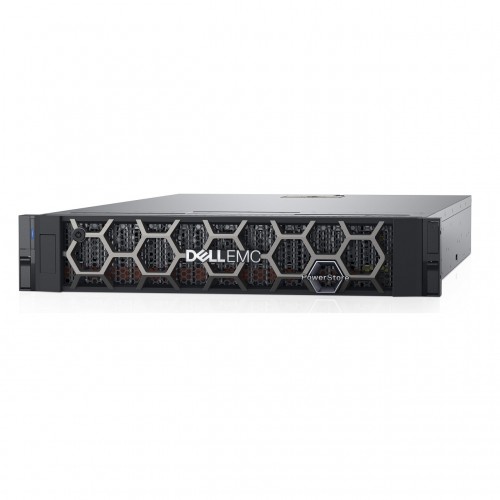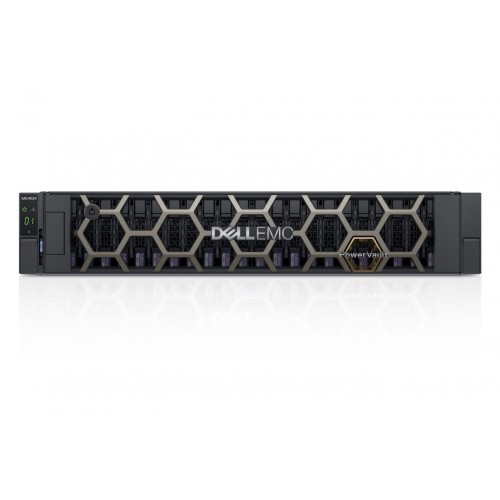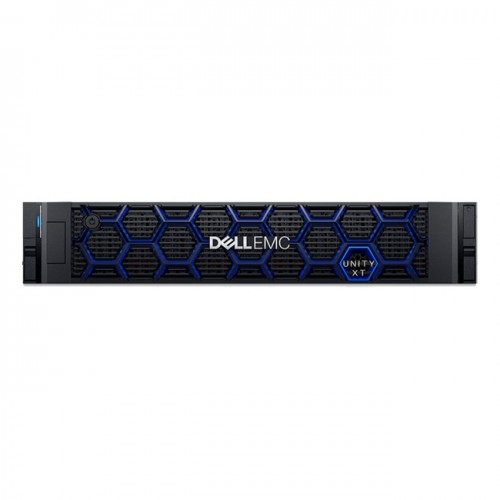
Dell EMC Unity XT 480F All-Flash SAN Storage
Contact us for pricing
Product Details
Key
Features
Model: EMC Unity XT 480F
Max Drives: 750 Drives
Raw Capacity: 4.0 PBs
ReadyRails Sliding Rails
Memory per Appliance: 192 GB
Specification
|
Processor |
2 x dual-socket Intel CPUs, 32 cores per Array, 1.8GHz |
|
Memory |
192 GB |
|
Hard Disk |
Min/Max Drives: Min 6 Drives Max 750 Drives Raw Capacity (Min/Max): 4.0 PBs All-Flash (F) models support 2.5” drives in 2U twenty
five drive and 3U eighty drive trays. Hybrid models support 2.5“ drives in 2U
twenty five drive and 3U eighty drive trays; and 3.5” drives in 3U fifteen
drive trays. |
|
RAID Controller |
Dynamic RAID |
|
Operating System |
Windows Storage Servers 2016 Standard Edition |
|
Peripherals |
4 x 4 lane 12Gb/s SAS ports for back end connection |
|
Embedded System
Management |
Management Software: Unisphere: Element Manager Unisphere Central: Consolidated dashboard and alerting CloudIQ: Cloud-based storage analytics Thin Provisioning Dynamic Pools - All-Flash Arrays (AFA) only Data Reduction: Zero Detect/Deduplication/Compression
(AFA and All-Flash Pools in Hybrid Arrays, Block & File) Proactive Assist: Configure remote support, online chat,
open a service request, etc Quality of Service (Block and VVols) Dell EMC Storage Analytics Adapter for VMware vRealize File & Block Tiering / Archiving to Public/Private
Cloud (Cloud Tiering Appliance) File-Level Retention (FLR-E & FLR-C) Native Asynchronous Block & File Replication Native Synchronous Block & File Replication MetroSync Manager (optional software to automate
synchronous file replication sessions) Snapshot Shipping Dell EMC RecoverPoint Basic |
|
Fans |
6 Performance Fans forR740/740XD |
|
Mount |
ReadyRails Sliding Rails With Cable Management Arm |
|
Additional Features |
|
|
Power Supply and
Cable |
Dell EMC Unity systems are powered by 2 power supplies
(PS) per DPE/DAE. Each power supply can provide power to the entire module if
the peer PS has been removed or is faulted. DPE power during a power failure
is provided by a Battery Back Up (BBU) module. BBU is located within the SP
enclosure and provides power to a single module (power zone) |
|
Drive Bays |
Min 6 Drives Max 750 Drives |
|
Manufacture
Warranty |
3Yr ProSupport:Next Business Day Onsite Service-Emerging
DBS |
Description
Dell EMC Unity XT 480F All-Flash Storage
The Dell EMC Unity XT 480F
Storage deliver consistent high performance for midrange workloads. This
unified storage platform is designed for performance and is NVMe-ready to
deliver high-speed access to business data with the ability to simultaneously run
mixed application workloads, process inline data reduction, and provide data
services with no performance overhead. Dell EMC has redesigned its highly
successful Unity storage arrays with a new hardware architecture (not just a
controller upgrade) that delivers better performance and efficiency. The new
Unity XT storage family includes the same option for all-flash or hybrid, the
same all-inclusive software, and the same simplicity of operations, but with a
new architecture and full multi-cloud functionality. All Unity XT models offer
active/active dual storage processors but add CPU, memory, and drives in a
small footprint. Configurations are available as either all-flash models
(380F/480F/680F/880F) or as hybrid models (380/480/680/880). The 380/380F models
retain the Broadwell chip and single-socket design to ensure optimal
cost/performance but add advanced deduplication. The 480/480F, 680/680F, and
880/880F models have been upgraded to dual-socket Intel Skylake CPUs and are
NVMe-ready. All models offer expanded asynchronous replication for file data
and an option for 25GbE optical connectivity. The hybrid models also now offer
12TB nearline SAS drives. The Unity XT retains its flagship ease of deployment
and management. ESG has previously validated the ability to get Unity installed
and configured to full operations in 25 minutes using Unisphere’s simple,
powerful, intuitive interface, as well as the wide range of included software.
How to Order
Revolution Technology BD has made shopping easier for customers. Follow these steps:
- Click Register Button from home page
- Register with: Name + Email + Mobile + Password
- Click Create Account after entering information
- Login automatically or use Login button
- Provide mobile number and password, then Sign Up
- Choose desired product and click Buy Now
- View product details and click Add to Cart
- Click Item box (upper right corner)
- Go to Shopping Cart page
- Continue Shopping for more products or proceed
- Click "Click Here to Address" button
- Provide Full Name, Phone, Email & Delivery Address
- Click Order Submit button
- View Bill Invoice and receive email confirmation
- Print Invoice using Print button
- Wait for delivery - we'll keep you updated
- Thank you for shopping with us!