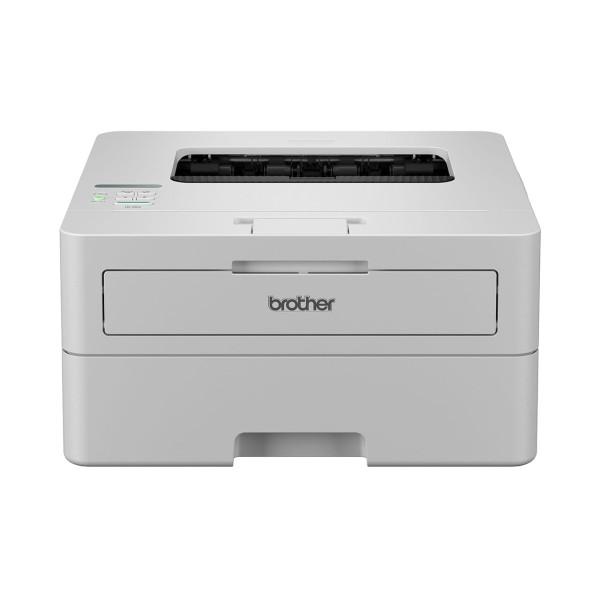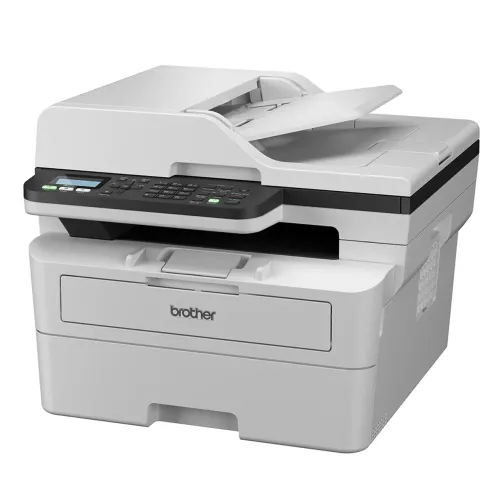
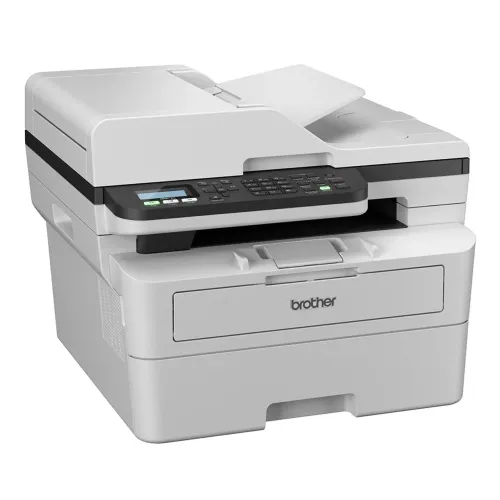
Brother MFP MFC-B7810DW Multifunctional Mono Laser Printer
Exclusive of all taxes
Product Details
Key Features
Model:
MFP MFC-B7810DW
Print
Speed: Up to 34 pages/minute (A4 size)
Resolution:
1200 X 1200 DPI
Duplex
Printing: Yes
Interface:
USB, Wi-Fi & LAN
SpecificationGeneral |
||
|
Functions |
Print, Copy, Scan, Fax |
|
|
Printer Type |
Laser Printer |
|
|
Output Color |
Black & White |
|
|
Print |
||
|
Technology |
Laser |
|
|
Print Speed |
1-Sided Print: Up to 34 pages/minute (A4 size), Up to 36
pages/minute (Letter size) |
|
|
Print Resolution |
1200 X 1200 DPI |
|
|
First Print Out Time |
Less than 8.5 seconds at 23 °C |
|
|
Copy |
||
|
Copy Resolution |
Maximum 600 x 600 dpi |
|
|
Scan |
||
|
Scan Resolution |
Up to 19200 x 19200 dpi (interpolated) |
|
|
Maximum Scan Size |
Scanning Width: Maximum 210 mm |
|
|
Paper Information |
||
|
Paper Size |
A4, Letter, B5 (JIS), B5 (ISO), A5, A5 (Long Edge), B6
(JIS), A6, Executive, Legal, Mexico Legal, India Legal, Folio, 16K (195x270
mm), A4 Short (270mm Paper) |
|
|
Paper Type |
Plain Paper, Thin Paper, Recycled Paper, Thick Paper |
|
|
Paper Weight |
60 to 163 g/m |
|
|
Input Capacity |
Up to 250 sheets of 80 g/m2 Plain Paper |
|
|
Output Capacity |
Up to 120 sheets of 80 g/m2 Plain Paper (face-down
delivery to the face-down output paper tray) |
|
|
Technical Specs |
||
|
Memory |
256 MB |
|
|
Display |
16 characters x 1 line |
|
|
Connectivity |
USB, LAN & Wi-Fi |
|
|
Power
Consumption |
Power
Source |
|
|
Physical Specs |
||
|
Color |
White |
|
|
Dimension |
410 mm × 319 mm × 399 mm |
|
|
Weight |
12.0 kg |
|
|
Warranty Information |
||
|
Warranty |
1-year Limited warranty, an Adapter/Power Cable with no
warranty |
|
Brother MFP MFC-B7810DW Multifunctional Mono Laser Printer
The Brother MFP MFC-B7810DW
Multifunctional Mono Laser Printer is the epitome of workplace productivity,
providing a full range of operations such as printing, copying, and scanning,
all packed in a sleek and small machine. With a print speed of up to 34 pages
per minute (A4 size), this multifunction printer produces documents quickly,
allowing users to manage their workload efficiently. The printer's
high-resolution output of 1200 x 1200 DPI ensures that every print, copy, and
scan retains exceptional clarity and detail, making it ideal for a broad range
of applications, from text-heavy documents to detailed graphics. One of the
MFC-B7810DW's primary characteristics is its wide range of connectivity
choices. With USB, Wi-Fi, and LAN connections, users may print, copy, and scan
from a variety of devices simultaneously. Users may easily print and scan from
anywhere within the business network, whether using a desktop computer, laptop,
smartphone, or tablet. Furthermore, the printer's wireless features enable easy
printing from mobile devices using Brother's user-friendly mobile printing
software, allowing customers to be productive even while on the road. Aside
from its amazing speed and connection, the MFC-B7810DW includes enhanced
capabilities to improve office activities. With its automated document feeder
(ADF), users may easily scan or copy multi-page documents, saving time and
effort. The printer's duplex printing feature enables automated double-sided
printing, which reduces paper usage and costs while supporting sustainability.
The Brother MFP MFC-B7810DW Multifunctional Mono Laser Printer is designed to
satisfy the different demands of today's office environments, delivering great
performance via speed, quality, and adaptability. Whether you're printing crisp
papers, producing copies, or scanning information, this multipurpose printer is
the perfect answer for increasing productivity and efficiency in any workplace
situation.
How to Order
Revolution Technology BD has made shopping easier for customers. Follow these steps:
- Click Register Button from home page
- Register with: Name + Email + Mobile + Password
- Click Create Account after entering information
- Login automatically or use Login button
- Provide mobile number and password, then Sign Up
- Choose desired product and click Buy Now
- View product details and click Add to Cart
- Click Item box (upper right corner)
- Go to Shopping Cart page
- Continue Shopping for more products or proceed
- Click "Click Here to Address" button
- Provide Full Name, Phone, Email & Delivery Address
- Click Order Submit button
- View Bill Invoice and receive email confirmation
- Print Invoice using Print button
- Wait for delivery - we'll keep you updated
- Thank you for shopping with us!