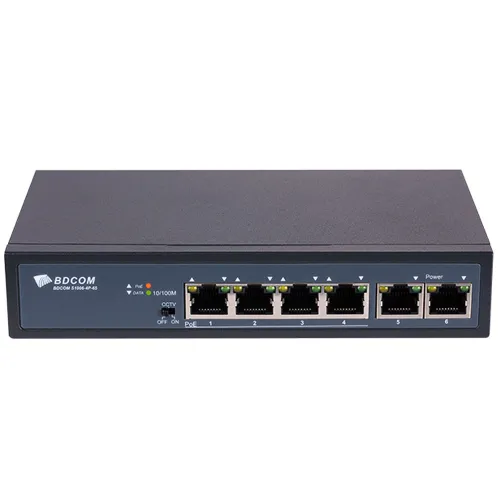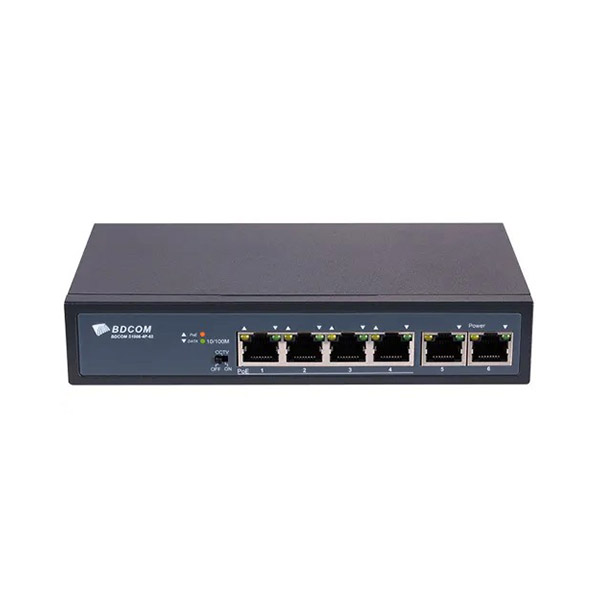
BDCOM S1006 4P 4-Port PoE Switch
Exclusive of all taxes
Product Details
Key
Features of S1006-4P:
|
4 100M PoE ports + 2 100M TX ports |
|
Switching Capacity 1.2Gbps |
|
PoE power standard 802.3af/at |
|
PoE power consumption 60W |
|
Warranty: 2-Year Brand Warranty |
Specification:
|
Model |
S1006-4P |
|
MAC Address Table |
1K |
|
PoE Port |
4FE |
|
Uplink RJ45 |
2FE |
|
Environment |
Operating temperature/humidity: -10° 0° ,10%-90%
non-condensing C~5 C |
|
Interface |
Switching capacity: 1.2G POE port: 4FE Uplink RJ45: 2FE |
|
Power Supply |
65W |
|
Dimension |
140×76.7×28 |
|
Warranty |
2 Year Brand Warranty |
Description:
BDCOM S1006 4P 4-Port PoE Switch
BDCOM S1006-4P 4-Port PoE Switch is an easy and basic
solution to power and connect up to 4 PoE-enabled devices, such as IP cameras,
VoIP phones, or wireless access points. Complying with the standard of
802.3af/at PoE, the total PoE power is up to 65W. This switch also provides two
100M TX ports for additional network connections or uplinks to higher-level
switches. The added DIP switch allows users to switch conveniently from the
standard mode to the CCTV mode, which isolates the 1~4 ports and extends the
transmission distance to 250 meters: The fanless design and metal shell
guarantee reliability and good radiating. Meanwhile, the switch is designed
with 6KV lightning protection to avoid a power surge.
Due to an onboard AC power supply and plug-and-play setup,
it doesn't require any configuration or software. The BDCOM S1006-4P can be a
perfect option in cases where a small PoE performance at the lowest cost is
needed.
How to Order
Revolution Technology BD has made shopping easier for customers. Follow these steps:
- Click Register Button from home page
- Register with: Name + Email + Mobile + Password
- Click Create Account after entering information
- Login automatically or use Login button
- Provide mobile number and password, then Sign Up
- Choose desired product and click Buy Now
- View product details and click Add to Cart
- Click Item box (upper right corner)
- Go to Shopping Cart page
- Continue Shopping for more products or proceed
- Click "Click Here to Address" button
- Provide Full Name, Phone, Email & Delivery Address
- Click Order Submit button
- View Bill Invoice and receive email confirmation
- Print Invoice using Print button
- Wait for delivery - we'll keep you updated
- Thank you for shopping with us!