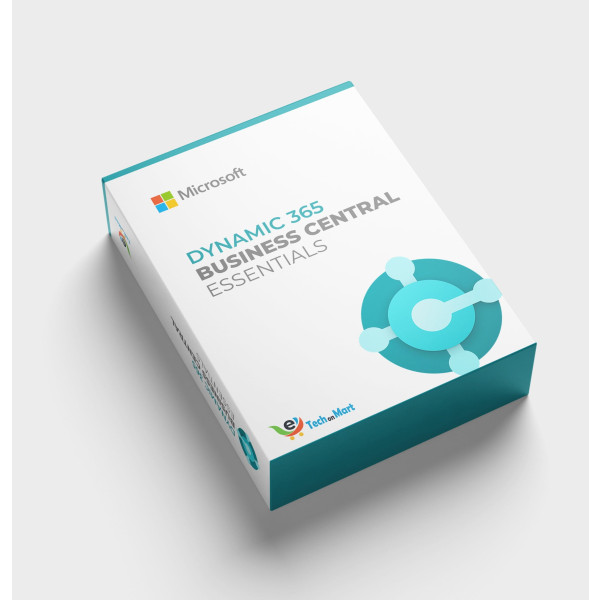
Dynamics 365 Business Central Essentials | Annual Subscription
Contact us for pricing
Product Details
Key Features
Cloud Based: Access Dynamics 365 Business Central Essentials from anywhere with an internet connection.
ERP Solution: Manage all business functions from a single platform with Dynamics 365 Business Central Essentials.
Annual Subscription: Get access to Dynamics 365 Business Central Essentials for 12 months with our annual subscription plan.
User Interface: Experience a user-friendly interface with Dynamics 365 Business Central Essentials, making it easy to navigate and use.
Data Security: Ensure the security and integrity of your business data with Dynamics 365 Business Central Essentials.
Scalability: Grow your business with Dynamics 365 Business Central Essentials, a scalable solution that adapts to your needs.
Integration: Integrate Dynamics 365 Business Central Essentials with other Microsoft products for a seamless experience.
Support: Get assistance whenever you need it with 24/7 support from Microsoft for Dynamics 365 Business Central Essentials.
Updates: Stay up-to-date with the latest features and updates with Dynamics 365 Business Central Essentials, ensuring you have the best tools
Customization: Tailor Dynamics 365 Business Central Essentials to your business needs with a customizable solution.
Reporting: Get insights into your business performance with advanced reporting capabilities in Dynamics 365 Business Central Essentials.
Specifications
| Dynamics 365 Business Central Essentials Annual | Annual Subscription |
| Product Category | ERP Solution |
| Product Type | Cloud Based |
| Supported Platforms | Windows, macOS, Linux |
| Minimum System Requirements | 2 GB RAM, 4 GB Disk Space |
About Dynamics 365 Business Central Essentials | Annual Subscription
Key Features & Benefits
- Cloud Based: Access Dynamics 365 Business Central Essentials from anywhere with an internet connection.
- ERP Solution: Manage all business functions from a single platform with Dynamics 365 Business Central Essentials.
- Annual Subscription: Get access to Dynamics 365 Business Central Essentials for 12 months with our annual subscription plan.
- User Interface: Experience a user-friendly interface with Dynamics 365 Business Central Essentials, making it easy to navigate and use.
- Data Security: Ensure the security and integrity of your business data with Dynamics 365 Business Central Essentials.
- Scalability: Grow your business with Dynamics 365 Business Central Essentials, a scalable solution that adapts to your needs.
- Integration: Integrate Dynamics 365 Business Central Essentials with other Microsoft products for a seamless experience.
- Support: Get assistance whenever you need it with 24/7 support from Microsoft for Dynamics 365 Business Central Essentials.
- Updates: Stay up-to-date with the latest features and updates with Dynamics 365 Business Central Essentials, ensuring you have the best tools for your business.
- Customization: Tailor Dynamics 365 Business Central Essentials to your business needs with a customizable solution.
- Reporting: Get insights into your business performance with advanced reporting capabilities in Dynamics 365 Business Central Essentials.
Ideal For
- Small to Medium-Sized Businesses
- Large Enterprises
- Retailers
- Manufacturers
- Service-Based Companies
- E-commerce Businesses
- Wholesalers
Summary
Dynamics 365 Business Central Essentials is a cloud-based ERP solution designed to help businesses manage their operations efficiently. With its intuitive user interface, enterprise-grade security, and seamless integration with other Microsoft products, it's the perfect choice for businesses looking to streamline their processes. Our annual subscription plan provides access to the latest features and updates, ensuring you have the best tools for your business. Whether you're a small to medium-sized business or a large enterprise, Dynamics 365 Business Central Essentials has got you covered.
How to Order
Revolution Technology BD has made shopping easier for customers. Follow these steps:
- Click Register Button from home page
- Register with: Name + Email + Mobile + Password
- Click Create Account after entering information
- Login automatically or use Login button
- Provide mobile number and password, then Sign Up
- Choose desired product and click Buy Now
- View product details and click Add to Cart
- Click Item box (upper right corner)
- Go to Shopping Cart page
- Continue Shopping for more products or proceed
- Click "Click Here to Address" button
- Provide Full Name, Phone, Email & Delivery Address
- Click Order Submit button
- View Bill Invoice and receive email confirmation
- Print Invoice using Print button
- Wait for delivery - we'll keep you updated
- Thank you for shopping with us!