BenQ WDC25 Wireless Presentation System Multi-Device Collaboration
Contact us for pricing
Product Details
Key Features
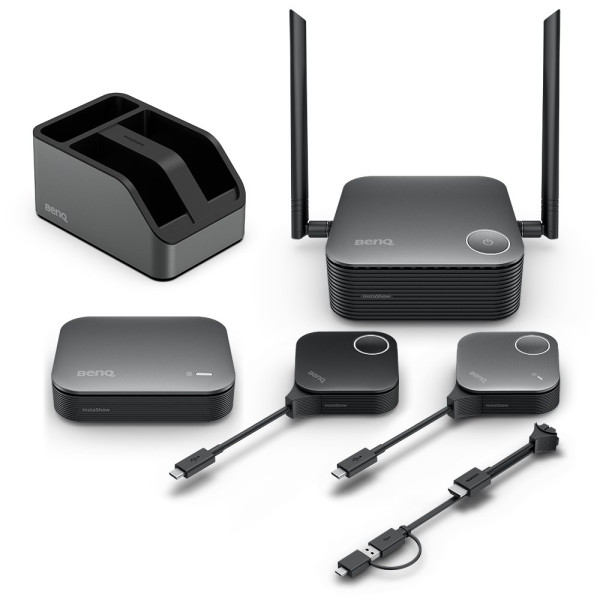
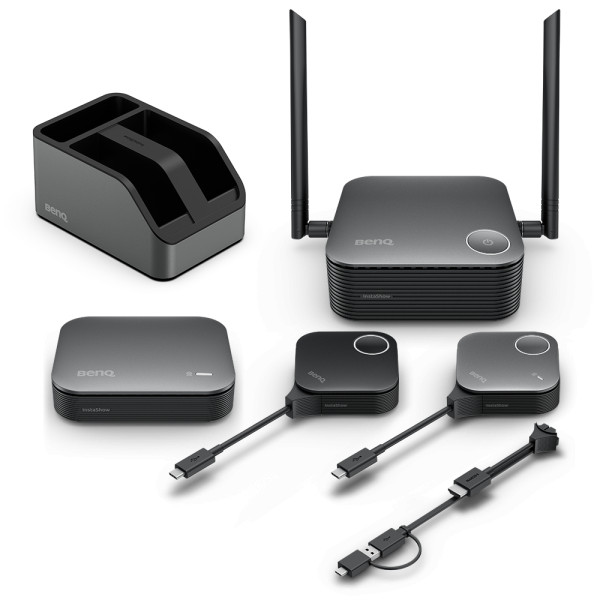
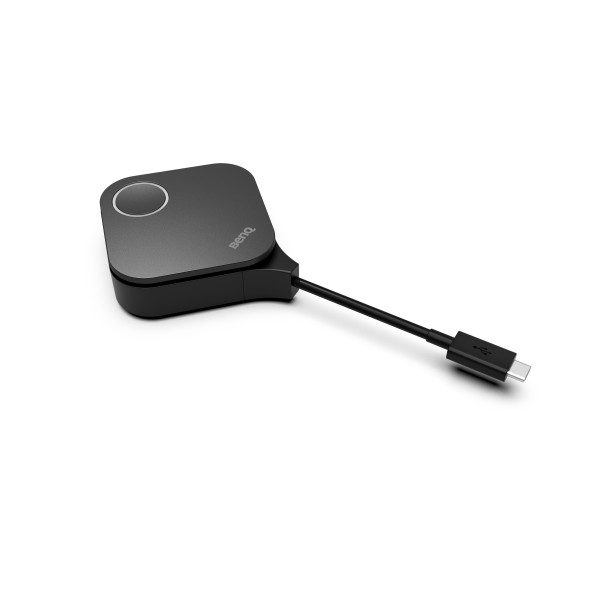
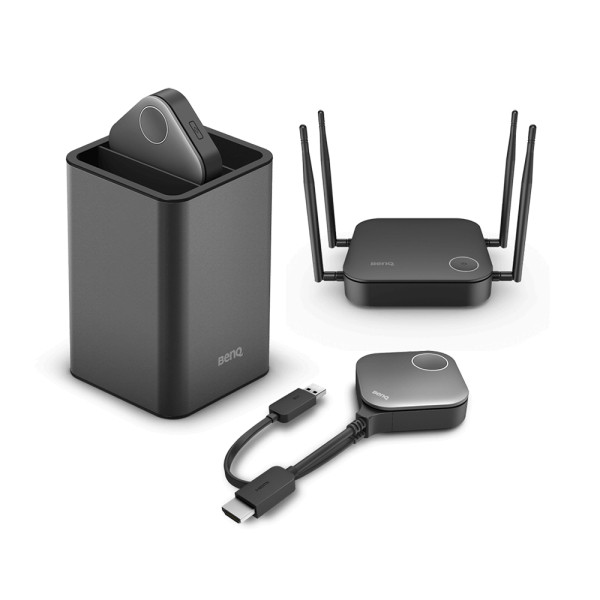
Dual Transmitter Package: Includes two InstaShow PackageButtons (Transmitter) for seamless multi-device collaboration.
High-Gain Antennas: Two 2dbi antennas provide robust 2.4G and 5G WiFi coverage for stable connections.
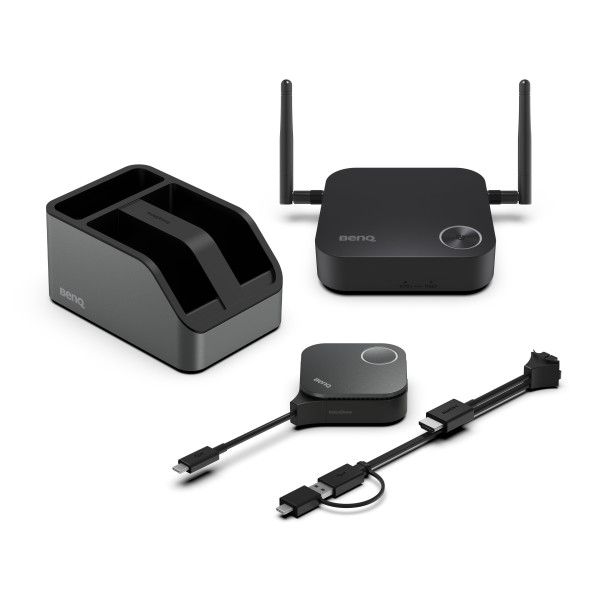
MIMO Cradle Support: MIMO Cradle (x1) enhances signal integrity and reduces interference.
Versatile Video Outputs: HDMI 2.0 and DP 1.2 with HDCP support deliver crystal‑clear visuals up to 4K 60Hz.
Secure Encryption: AES128 encryption ensures data protection during wireless transmission.
High‑Speed Wireless: AX1800 (574 Mbps 2.4G + 1201 Mbps 5G) supports up to 64 simultaneous connections.
Split‑Screen Capability: Maximum of 4 split screens allows multiple presenters to share content simultaneously.
TouchBack Functionality: TouchBack feature enables remote control of the host device via the button.
Cloud DMS Management: Cloud DMS Management allows centralized device control and updates.
Compact Design: Host dimensions 123x123x49.9mm and weight 300g make it portable for on‑the‑go presentations.
U‑Magnet Bolt Design: U‑magnet bolt design provides secure mounting and easy setup.
InstaShow PackageButton (Transmitter) | x2 |
Antenna | x2, 2dbi |
MIMO Cradle | x1 |
Button HDMI cable | x1 |
Host (Receiver) | x1 |
Power Adapter | x1 |
Cable: HDMI A(M) to A(M) | x1 |
InstaShow Button | |
Button Connector Type | USB Type C |
Button Function Key | |
Split Screen Key | |
InstaShow Host | |
Host Power Supply | 3A, DC 12V±10% |
Host Normal Power Consumption | 15W |
WLAN (RJ45) | x1 |
HDMI out | x1 |
Host Dimensions without antenna | 123x123x49.9mm |
Host Weight | 300 g |
InstaShow Cradle | |
Cradle Dimensions | 84.5x62.5x128mm |
Cradle Weight | 555 g |
Video Outputs | HDMI 2.0 (with HDCP), DP 1.2 (with HDCP) |
Advanced Encryption Standard | AES128 |
Maximum Output Resolution (Receiver) | Up to 1080p 60Hz (USB-C), Up to 4K 60Hz (HDMI) |
BYOD | Apple OS/Android/windows |
WiFi Standard | 6 |
Wireless Frequency | 2.4G + 5G |
Wireless Data Rate (Maximum) | AX1800 (2.4G 574 Mbps + 5G 1201 Mbps) |
Simultaneous connections | 64 |
Split Screens (Maximum) | 4 |
WiFi Protected Access | WPA3 enterprise |
TouchBack | Yes |
Cloud DMS Management | Yes |
U-magnet Bolt Design | Yes |
Description
BenQ WDC25 Wireless Presentation System Multi-Device Collaboration
Key Features & Benefits:
- Dual Transmitter Package: Includes two InstaShow PackageButtons (Transmitter) for seamless multi-device collaboration.
- High-Gain Antennas: Two 2dbi antennas provide robust 2.4G and 5G WiFi coverage for stable connections.
- MIMO Cradle Support: MIMO Cradle (x1) enhances signal integrity and reduces interference.
- Versatile Video Outputs: HDMI 2.0 and DP 1.2 with HDCP support deliver crystal‑clear visuals up to 4K 60Hz.
- Secure Encryption: AES128 encryption ensures data protection during wireless transmission.
- High‑Speed Wireless: AX1800 (574 Mbps 2.4G + 1201 Mbps 5G) supports up to 64 simultaneous connections.
- Split‑Screen Capability: Maximum of 4 split screens allows multiple presenters to share content simultaneously.
- TouchBack Functionality: TouchBack feature enables remote control of the host device via the button.
- Cloud DMS Management: Cloud DMS Management allows centralized device control and updates.
- Compact Design: Host dimensions 123x123x49.9mm and weight 300g make it portable for on‑the‑go presentations.
- U‑Magnet Bolt Design: U‑magnet bolt design provides secure mounting and easy setup.
Ideal For:
- Corporate meeting rooms
- University lecture halls
- Conference centers
- Remote collaboration teams
- Tech product demos
- Training workshops
- Event presenters
Summary:
The BenQ WDC25 Wireless Presentation System offers a complete solution for multi‑device collaboration with dual transmitters, high‑gain antennas, and MIMO cradle support. It delivers crystal‑clear video up to 4K 60Hz via HDMI and DP 1.2, while AES128 encryption and WPA3 enterprise secure the wireless link. Ideal for corporate, educational, and event settings, this compact system is available at Revolution Technology BD.
How to Order
Revolution Technology BD has made shopping easier for customers. Follow these steps:
- Click Register Button from home page
- Register with: Name + Email + Mobile + Password
- Click Create Account after entering information
- Login automatically or use Login button
- Provide mobile number and password, then Sign Up
- Choose desired product and click Buy Now
- View product details and click Add to Cart
- Click Item box (upper right corner)
- Go to Shopping Cart page
- Continue Shopping for more products or proceed
- Click "Click Here to Address" button
- Provide Full Name, Phone, Email & Delivery Address
- Click Order Submit button
- View Bill Invoice and receive email confirmation
- Print Invoice using Print button
- Wait for delivery - we'll keep you updated
- Thank you for shopping with us!